Endacopia
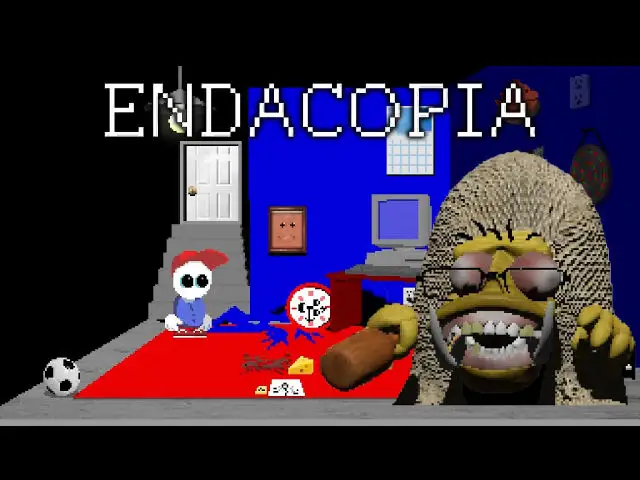
Endacopia is an unusual point-and-click puzzle adventure game created by Andyland. Help a lost child named Mellow navigate a surreal, whimsical, and unsettling world filled with strange characters and mind-bending puzzles.
This port runs natively on aarch64 using the Adventure Game Studio (AGS) engine with OpenGL ES 2 renderer acceleration.
Port Details
Genres
adventure
puzzle
Requirements
Porter
Downloads
117
Last Updated
2026-10-15
Rating
None
Miscellaneous
Instructions
This port does NOT include the game. Copy Endacopia.ags, audio.vox and sp_speechsounds.vox from the Data folder of your own copy of Endacopia into ports/endacopia/.
On Steam those three files are in the Data folder, already loose, so nothing has to be extracted from the Windows executable.
Additional Information
Notes
Thanks to the Adventure Game Studio team for the engine this port is built on: it still runs games written for it in the 1990s while gaining modern backends, and that OpenGL ES 2 path is exactly what lets a 2026 release render on a handheld's Mali GPU. Endacopia itself was made by Andyland.
This port does not include the game. Copy these three files from your own copy into ports/endacopia/, next to ags.aarch64:
Endacopia.ags
audio.vox
sp_speechsounds.vox
On Steam they are already loose inside the game's Data folder, so nothing has to be extracted from the Windows executable. The default location is:
C:\Program Files (x86)\Steam\steamapps\common\Endacopia\Data
Together they come to about 1.4 GB, so check the card has room before copying. Do not copy acsetup.cfg: the engine picks its own settings for this device. If the files are missing the port shows a message instead of starting.
The game renders at 384x216, so on a 4:3 screen it fills the width and letterboxes.
Several places in the game require typing to progress. Press Select at any time to raise an on-screen keyboard over the game: move between keys with the d-pad or left stick, press a key with A, delete with Y, and press Select again to close it.
On RK3326 devices the train section, where blocks have to be jumped, slows down while a block is on screen and recovers once it leaves. The game stays completable, and the rest of it runs at full speed. The cause is in the game's own per-frame collision checking rather than in loading or rendering: it was measured with zero disk reads and zero iowait while the process pushed past a full CPU core, so a faster card or a larger cache does not change it.
Controls
| Key | Action |
|---|---|
| Left Analog | Move |
| D-Pad | Move |
| Right Analog | Mouse pointer |
| A | Left click |
| B | Right click |
| R1 | Left click |
| L2 | Left click |
| L1 | Slow pointer |
| R2 | Right click |
| X | Space |
| Y | Backspace |
| Start | Escape (menu) |
| Select | On-screen keyboard |
L1 slows down the cursor for precision aiming, while L2 and R1 provide left click and R2 provides right click so both clicks remain within reach of either hand.
Walking and aiming happen at the same time, so the layout follows how many sticks the device has, chosen automatically at launch.
With one stick, that stick becomes the mouse pointer and the d-pad walks. Everything else is unchanged.
With no stick at all, the d-pad walks, holding A turns the d-pad into the mouse pointer, L1 and R1 are left and right click, B is Escape and Start is Space. It is an awkward way to play, and the pointer sections in particular will be hard, but the game is reachable on those devices.