Residual
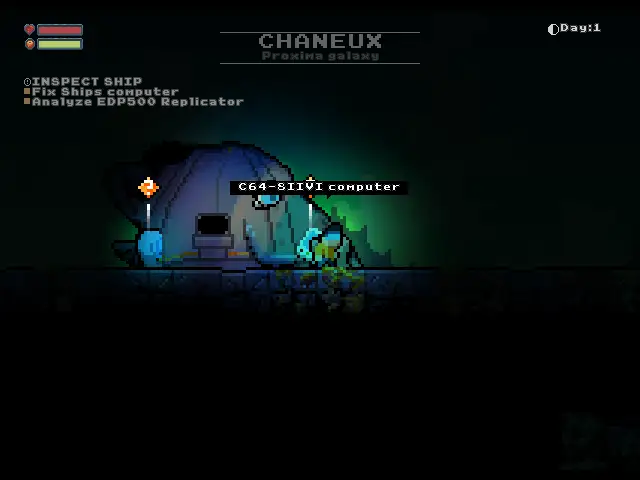
Explore alien planets, gather resources and repair your ship in a procedurally generated survival platformer.
Port Details
Genres
adventure
platformer
Requirements
Porter
Downloads
161
Last Updated
2026-10-03
Rating
None
Miscellaneous
Instructions
Place your legally obtained residual.jar in residual/gamedata/. See README.md for GOG and Steam download instructions.
Additional Information
Notes
Thanks to Orangepixel for Residual and its planet exploration and survival gameplay. PortMaster adaptation by Pixelforge Ports (Ronax).
Get residual.jar
GOG: Download the Residual offline installer for your OS, install or extract it, then copy residual.jar.
Steam: Run:
download\_depot 1290780 1290782 3716360872293972653
Then copy:
steamapps/content/app\_1290780/depot\_1290782/residual.jar
Verify: 83,168,018 bytes — SHA-256 8f8caa7dc36f5ab9c7119046ccce87e3f7a2d61680dc60970fa3d2b2d619ee01
Copy the JAR from the GOG installation or downloaded Steam depot to <Port directory>/residual/gamedata/ on the handheld.
Launch Residual from Ports.
The launcher detects display size and supports 640x480, 720x480, 720x720, 1024x768, 1280x720, and other valid PortMaster dimensions while preserving aspect ratio. If detection is wrong, put the actual size, such as 720x480, in residual/resolution.txt; use auto or remove the file to restore automatic detection.
Back up residual/saves/ before updating. If startup fails, check residual/log.txt. When reporting a problem, include the device, firmware version, resolution, reproduction steps, and log. Keep purchased game files private.
Controller test
The launcher creates a virtual Xbox 360 controller through gptokeyb2. Controls:
| Button | Action |
|---|---|
| D-pad | Move |
| A | Action |
| B | Back |
| Y | Inventory |
| X | Jump |
| Start | Pause |
| L1 / R1 | Visor navigation |
| Start + Select | Close |