Gunslugs
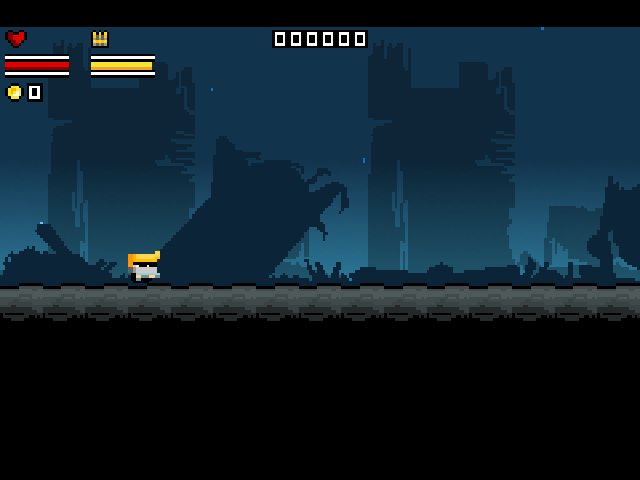
Run, jump and shoot through chaotic pixel-art battlefields, smash scenery and rescue characters in this action platformer by Orangepixel.
Port Details
Genres
action
platformer
Requirements
Porter
Downloads
105
Last Updated
2026-10-14
Rating
None
Miscellaneous
Instructions
Place your legally obtained PC gunslugs.dat (GOG 3.3.0) or Gunslugs 3.2.4 APK in
Additional Information
Notes
Thanks to Orangepixel for creating Gunslugs, a pixel-art action game with chaotic shootouts and destructible scenery. PortMaster adaptation by Ronax.
Get the PC data
The supported Windows build is GOG Gunslugs 3.3.0, GOG build ID 58441296934612083. Buy or download Gunslugs from your GOG library, download the Windows offline backup installer and install it on a PC. Copy gunslugs.dat from its installation folder to <ports directory>/gunslugs/gamedata/gunslugs.dat. The Windows EXE, bundled JRE and other installation files are not needed on the handheld.
Supported DAT SHA-256: d4492bd452c0e81e8ac1696d9c0e439b0a074489555b764298e1e2381343af8a. The importer rejects other PC builds before preparing data. Only this supplied GOG build has been checked.
Get the APK
On your Android device, buy and install Gunslugs from the Epic Games Store mobile app. This port requires Gunslugs 3.2.4. Check the installed version before backing it up. Gunslugs store page. Back up the installed APK with AnExplorer:
The adapter supports version code 52, with APK SHA-256 d2c857b479a4f7a19bc59840e74bfc6350316a46f8ff579c69da281e8a2933e8.
- Open AnExplorer.
- On the Home screen, tap Apps. This shows all installed applications on your device.
- Find Gunslugs by scrolling the list or using the search bar. Long-press the app icon or name.
- Tap Backup from the context menu.
- AnExplorer saves the APK to
Internal Storage/Backup/Apps/[AppName].apk. OrInternal Storage/Download/AnExplore/backup/[AppName].apk
First launch
The launcher detects game data inside ports/gunslugs/gamedata/. Supply either the supported PC gunslugs.dat or the supported Android APK gunslugs.apk. If both are present, gunslugs.dat takes priority.
APK saves remain in gunslugs/saves/. PC saves use gunslugs/saves/pc/ to keep both builds separate. Preserve the whole saves folder when updating.
Screen size is detected automatically. To override incorrect firmware detection, put one line such as 640x480, 720x480, 720x720, or 1280x720 in gunslugs/resolution.txt. Use auto to restore detection. The port preserves the game view without stretching or cropping; square and 4:3 screens show borders.
Controls
The APK version uses gunslugs/gunslugs.ini. The PC version uses gunslugs/gunslugs-pc.ini.
| Button | action |
|---|---|
| D-pad / left stick | Move / menu navigation; Up jumps |
| A / X / R2 | Fire / confirm |
| B / L2 | Jump |
| Y / R1 | Options |
| Start | Confirm |
| Select / L1 | Back / pause |
| Select + Start | Exit through PortMaster |